
Step 1: Find a listing
- Review available listings and find a listing that works for you.
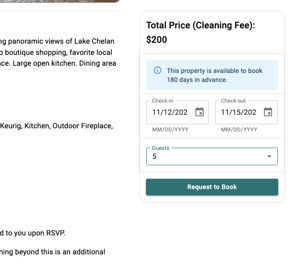
Step 2: Select dates and number of guests.
- Click Request to Book after you've selected correct dates and number of guests
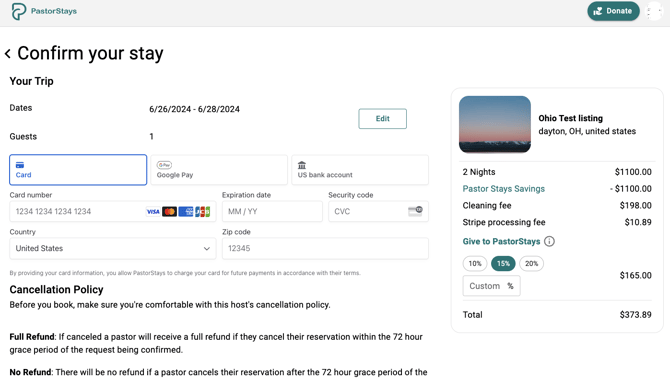
Step 3: Review and confirm booking request
- Fill out payment details
- Add an optional donation to PastorStays
- Click Confirm and Pay
Step 4: Wait for Host to Accept or deny booking request.
- You will only be charged once the the booking request has been accepted.
- Note: You can also cancel your request at anytime with no penalty by going to your Account -> My Trips -> Click on the booking request to see the cancel option.